FCI HRMS is the online Human Resource Management System used by the Food Corporation of India to manage employee services digitally. It helps FCI employees access salary slips, leave, attendance, service records, performance details, and self-service options from one secure platform, while also supporting career guidance through easy access to performance, training, and promotion-related updates.
For employees, the system saves time and reduces the need to visit the HR office for every small request. Whether you want to check your leave balance, download a payslip, reset your password, or view your service details, the portal brings many HR tasks into one place.
The official FCI HRMS login page also provides user manuals for key modules such as Employee Self Service, Leave and Attendance, Payroll, Performance Management, Employee Relations, Bio-metric, and Mobile Application support.
Table of Contents
What Is FCI HRMS?
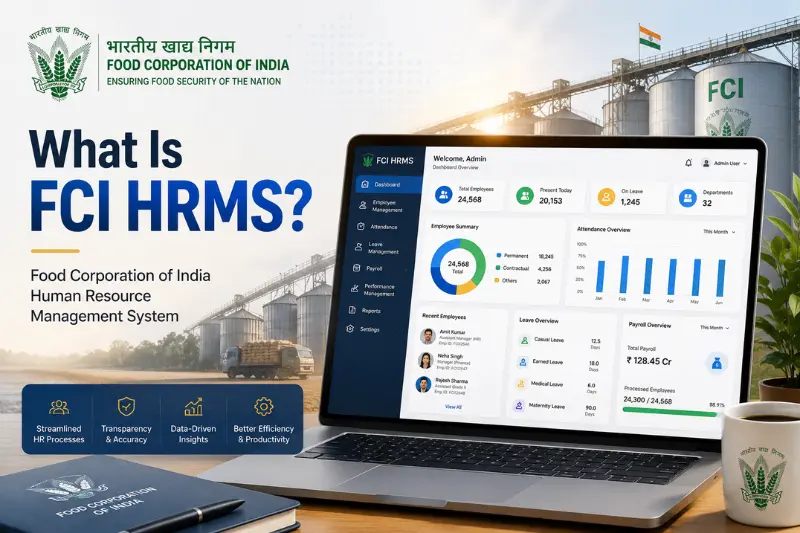
FCI HRMS stands for Food Corporation of India Human Resource Management System. It is a digital HR platform designed for FCI employees, officers, and authorised users.
The main purpose of the platform is to make employee services faster, more transparent, and easier to manage. Instead of depending only on paper files or manual HR processes, employees can use the portal to access many work-related services online.
Through FCI HRMS, employees can manage:
- Employee profile details
- Salary slips and payroll information
- Leave applications
- Attendance records
- Performance-related information
- Service records
- Transfer and posting details
- HR requests and approvals
- Mobile-based leave and attendance services
The Employee Self Service manual describes ESS as a one-stop workspace where FCI employees can initiate, track, and monitor diffferent service requests.
FCI HRMS Quick Facts
| Detail | Information |
|---|---|
| Full Form | Food Corporation of India Human Resource Management System |
| Organization | Food Corporation of India |
| Main Users | FCI employees and authorised officials |
| Main Purpose | Digital HR and employee service management |
| Key Services | Payroll, leave, attendance, service records, performance |
| Access Mode | Web portal and mobile app |
| Related Portal | ERS portal for employee service record details |
Why FCI HRMS Is Important for Employees
FCI has a large workforce spread across different offices, zones, regions, and depots. Managing employee records manually can take time and may lead to delays.
FCI HRMS makes the process easier by giving employees direct access to their own HR information.
The system is useful because it helps employees:
- Download payslips without visiting the office
- Apply for leave online
- Track leave approval status
- Check attendance details
- View service record information
- Access employee self-service options
- Reduce dependency on physical paperwork
- Keep HR data more organized
For HR departments, it also improves record management, approval tracking, and employee communication.
FCI HRMS Login Process
Employees can access the portal using their official login credentials. The login process is simple, but users should enter the correct details carefully.
Steps to Log In to FCI HRMS
- Open the official FCI HRMS login portal.
- Enter your employee ID or user ID.
- Type your password.
- Complete the captcha verification.
- Click the sign-in or login button.
- After successful login, you will reach your employee dashboard.
From the dashboard, employees can access different modules based on their role and permissions.
First-Time Login on FCI HRMS
New employees may need help during their first login. In most cases, employees do not create their accounts by themselves. Login credentials are usually provided through the HR or concerned department after employee data is added to the system.
First-time users should keep these points in mind:
- Use the employee ID provided by the department.
- Enter the default or temporary password if issued.
- Reset the password if the portal prompts you to.
- Keep your registered mobile number active for OTP verification.
- Contact HR if your employee number or mobile number is not recognised.
If you cannot log in on the first attempt, avoid trying too many random passwords. It is better to use the forgot password option or contact the concerned HR team.
How to Reset FCI HRMS Password
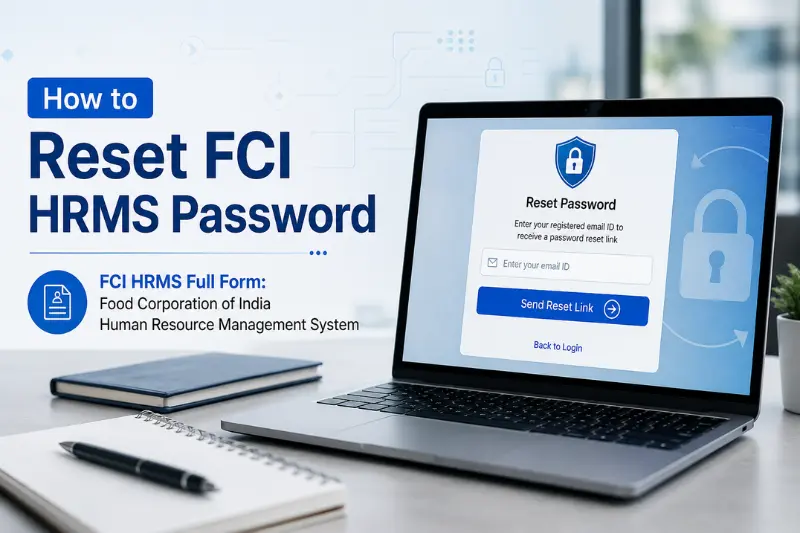
Password issues are common, especially for first-time users or employees who have not used the portal for a long time.
Steps to Reset Password
- Go to the FCI HRMS login page.
- Click on the Forgot Password option.
- Enter the required employee details.
- Verify your identity through OTP if asked.
- Create a new password.
- Return to the login page and sign in again.
The login page includes a Forgot Password option, which helps employees recover access when they cannot remember their password.
Password Safety Tips
- Do not share your password with anyone.
- Avoid using your name, date of birth, or mobile number as a password.
- Change your password if you think someone else knows it.
- Always log out after using the portal on a shared computer.
FCI HRMS Dashboard: What Employees Can Access
After login, employees can access services from their dashboard. The options may vary depending on employee role, department, and permissions.
Common dashboard options may include:
- Employee Self Service
- Leave and Attendance
- Payroll
- Employee Relation
- Performance Management
- Compensation and Benefits
- Bio-metric-related information
- Mobile application support
- Talent management
- Service-related requests
The official portal lists several user manuals for these modules, which show that the system covers multiple HR functions beyond only login and payslip download.
FCI HRMS Employee Self Service
Employee Self Service is one of the most useful areas of FCI HRMS. It allows employees to manage basic HR tasks without depending on manual requests every time.
Through Employee Self Service, users may be able to:
- View personal information
- Track service requests
- Check HR-related updates
- Access employee details
- Manage work-related requests
- View dashboard notifications
The ESS module helps employees save time because many tasks can be started and tracked directly through the portal.
FCI HRMS Payroll and Payslip Services
Payroll is one of the most searched features of FCI HRMS. Employees often use the portal to view salary information and download monthly payslips.
What You Can Do in the Payroll Section
Employees may use the payroll module to:
- Download monthly salary slips
- View salary components
- Check deductions
- Access compensation-related details
- View payroll information in one place
The official Payroll User Manual explains compensation and benefit processes and is designed to help FCI employees understand how to use payroll-related services in HRMS.
How to Download Payslip from FCI HRMS
If your dashboard has payroll access, you can usually download your payslip by following these steps.
Steps to Download FCI HRMS Payslip
- Log in to your FCI HRMS account.
- Open the Payroll or salary-related section.
- Select the month and year.
- Click on the payslip option.
- View the salary slip on screen.
- Download or print the payslip if needed.
Common Payslip Problems
Sometimes employees may face issues while downloading payslips. Common reasons include:
- Slow internet connection
- Wrong month or year selected
- Browser cache issue
- Payroll data has not been updated yet
- Temporary portal error
If the payslip does not open, refresh the page, try another browser, or check again later. If the issue continues, contact the HR or payroll department.
FCI HRMS Leave and Attendance
The Leave and Attendance module helps employees apply for leave, check leave balance, and manage attendance-related requests.
This feature is useful for both employees and managers because it keeps leave records organized and easier to track.
Main Leave and Attendance Features
Employees may use this section to:
- Apply for leave
- View leave balance
- Check leave approval status
- Track attendance
- Submit attendance-related requests
- View holiday or attendance-related information
The official FCI HRMS Android app description also says that FCI employees can manage their leaves and attendance from anywhere, anytime.
How to Apply for Leave on FCI HRMS
The exact steps may differ slightly based on portal updates, but the general process is usually simple.
Steps to Apply for Leave
- Log in to FCI HRMS.
- Go to the Leave and Attendance section.
- Choose the leave application option.
- Select the type of leave.
- Enter the start date and end date.
- Add a reason for leave.
- Check all details carefully.
- Submit the request.
- Track approval status from the dashboard.
Before Applying for Leave
Check these points before submitting your request:
- Make sure your leave balance is available.
- Enter the correct dates.
- Add a clear reason.
- Submit the request before the required deadline if your department has one.
- Keep checking the status until it is approved or rejected.
Attendance Regularization in FCI HRMS
Attendance regularization is useful when an employee’s attendance is missing or incorrect due to a valid reason.
This may happen because of:
- Missed biometric punch
- Field duty
- Official work outside office
- Biometric device issue
- Technical error
- Approved work-related absence
The Leave and Attendance manual mentions attendance regularization as a way to handle situations where biometric attendance may not be recorded properly.
General Steps for Attendance Regularization
- Log in to the portal.
- Open the attendance section.
- Select the attendance regularization option.
- Choose the date with missing or incorrect attendance.
- Enter the reason.
- Submit the request for approval.
- Wait for action from the reporting authority or concerned department.
Always provide a valid reason, because approval usually depends on department rules and reporting authority review.
FCI HRMS ERS Portal
The ERS portal is related to employee service records. Many employees confuse the main HRMS portal with the ERS portal, but both have different purposes.
The ERS page shows employee-related service information such as employee name, employee ID, designation, present place of posting, office details, appointment or promotion information, and training-related details.
Difference Between FCI HRMS and ERS Portal
| Point | FCI HRMS | ERS Portal |
|---|---|---|
| Main Purpose | HR services and employee self-service | Employee service record details |
| Common Use | Leave, attendance, payroll, HR requests | Posting, designation, service history |
| User Type | FCI employees and authorised users | Employees checking service information |
| Best For | Daily HR activities | Service record verification |
Both portals are useful, but they should not be treated as the same thing. FCI HRMS is broader, while ERS focuses more on employee record details.
FCI HRMS Mobile App
The FCI HRMS mobile app helps employees manage important HR tasks from their phone. It is especially useful for leave and attendance-related services.
The Google Play listing states that the app allows FCI employees to manage leaves and attendance anywhere, anytime. The listing also shows that the app was updated on April 28, 2026.
What Employees Can Use the App For
Employees may use the mobile app to:
- Check leave details
- Manage attendance
- Access employee dashboard
- Submit leave-related requests
- Track basic HR information
The mobile app user manual also mentions that employees can access the Employee Dashboard after logging in.
Common FCI HRMS Login Problems and Solutions
Many users search for FCI HRMS due to login or access issues. Here are the most common issues and simple solutions.
1. Incorrect Employee ID or Password
Check whether you entered the correct employee ID and password. Make sure there are no extra spaces.
2. Captcha Not Working
Refresh the captcha and enter it again carefully. Captcha is case-sensitive in many portals, so check letters and numbers properly.
3. Forgot Password
Use the forgot password option on the login page. Keep your registered mobile number active for OTP verification.
4. OTP Not Received
If OTP does not arrive:
- Check network signal
- Wait for a few minutes
- Try again once
- Make sure your mobile number is registered
- Contact HR if your number has changed
5. Portal Not Opening
Try these quick fixes:
- Check your internet connection
- Clear browser cache
- Use another browser
- Try opening the portal later
- Avoid using outdated browsers
6. Payslip Not Downloading
If the payslip does not download, try refreshing the page or switching browsers. If the salary data is not updated, contact the payroll section.
7. Attendance Not Showing Correctly
If attendance is missing because of biometric or technical issues, use the attendance regularization option if available. The official manuals mention support for handling attendance-related issues through HRMS processes.
Who Can Use FCI HRMS?
FCI HRMS is not a public portal for general users. It is mainly for:
- Food Corporation of India employees
- FCI officers
- Authorized HR users
- Managers or reporting authorities
- Concerned administrative users
Public users cannot access employee services because the portal contains private HR and salary-related information.
Benefits of FCI HRMS
FCI HRMS provides several benefits for employees and the organization.
1. Saves Time
Employees can access many services online instead of visiting the HR office for every small task.
2. Improves Transparency
Employees can check their own records, leave details, salary information, and request status.
3. Reduces Paperwork
Digital records reduce physical paperwork and make HR processes more organized.
4. Makes Leave Management Easier
Employees can apply for leave and track approval status from the portal.
5. Helps Payroll Access
Salary slips and payroll-related information become easier to view and download.
6. Supports Better Record Management
Service records, employee details, and HR data can be maintained more efficiently.
7. Offers Mobile Access
The mobile app makes leave and attendance services easier to access from a phone.
Important Security Tips for FCI Employees
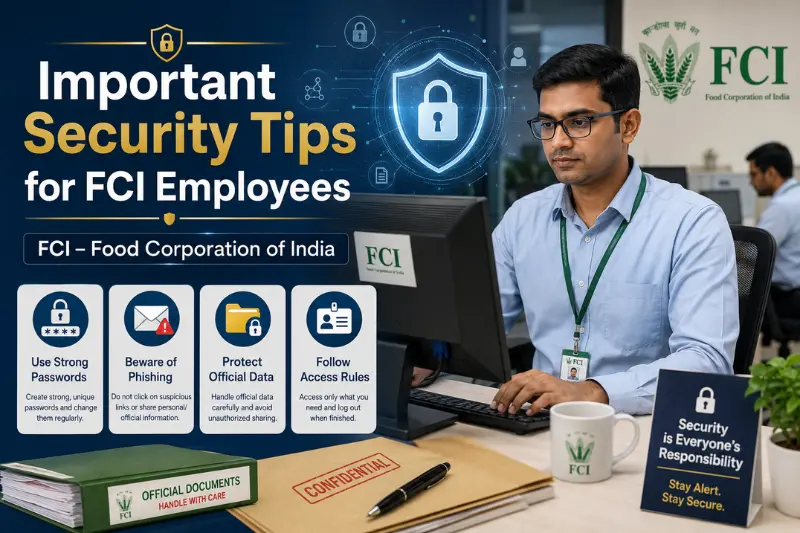
Because FCI HRMS contains sensitive employee information, users should follow basic security practices.
- Never share your password with anyone.
- Do not save login details on public computers.
- Avoid logging in through unknown links.
- Always use the official portal or official app source.
- Log out after completing your work.
- Keep your registered mobile number updated.
- Report suspicious activity to the concerned department.
Best Practices for Using FCI HRMS Smoothly
To avoid common issues, follow these simple tips:
- Use a stable internet connection.
- Keep your employee ID ready before login.
- Update your password regularly.
- Download payslips monthly for your records.
- Apply for leave early when possible.
- Check attendance regularly.
- Report incorrect service details quickly.
- Use official manuals if you are unsure about any module.
FAQs About FCI HRMS
What is FCI HRMS?
FCI HRMS is the Food Corporation of India Human Resource Management System. It helps FCI employees manage HR services such as payroll, leave, attendance, employee self-service, and service-related information online.
Who can use FCI HRMS?
FCI HRMS is mainly for FCI employees, officers, managers, HR users, and authorized administrative users.
How do I log in to FCI HRMS?
Visit the official FCI HRMS login portal, enter your employee ID and password, complete the captcha, and sign in to your dashboard.
What should I do if I forget my password?
Use the forgot password option on the login page. You may need to verify your identity through registered details or OTP.
Can I download my payslip from FCI HRMS?
Yes, employees can usually download salary slips from the payroll section after logging in, depending on their access and available payroll data.
Can I apply for leave through FCI HRMS?
Yes, the Leave and Attendance section allows employees to apply for leave, check leave balance, and track approval status.
What is the use of the ERS portal?
The ERS portal is used to view employee service record information such as posting details, designation, employee ID, office details, and related service data.
Is there an FCI HRMS mobile app?
Yes, the FCI HRMS mobile app is available for employees and is mainly used for leave and attendance-related services.
Why is my FCI HRMS login not working?
Login may fail due to incorrect credentials, captcha error, internet issues, unregistered mobile number, or temporary portal problems.
What should I do if my attendance is incorrect?
Check the attendance section and use attendance regularization if available. If the problem continues, contact your reporting authority or HR department.
Conclusion
FCI HRMS is an important digital platform for Food Corporation of India employees. It brings employee services such as login, payroll, payslip download, leave, attendance, employee self-service, and service records into one organised system.
For daily use, employees should learn the basic login process, password reset method, payroll section, leave application process, and attendance regularisation feature. The ERS portal is also useful for checking service record details such as posting, designation, and employee information.
By using FCI HRMS regularly and keeping login details secure, employees can save time, reduce paperwork, and manage their HR tasks more confidently.
YOU MAY ALSO LIKE:
APBCR Full Form – Meaning in Banking, Uses, and Simple Explanation
IFSC Full Form: Meaning, Format, Uses and Examples
Difference Between Supervised & Unsupervised Learning Explained
BGT Full Form: Meaning, Uses, Examples, and Different Contexts